Video Game Guides: Find Walkthroughs, Tips, and Help for Your Next Move
What if the best video game guide is the one that tells you less? When a boss fight stalls your run or a hidden objective sends you in circles, a giant walkthrough can feel like overkill. If it spoils a reveal or covers a different platform or point in the game, it may create more frustration than progress.
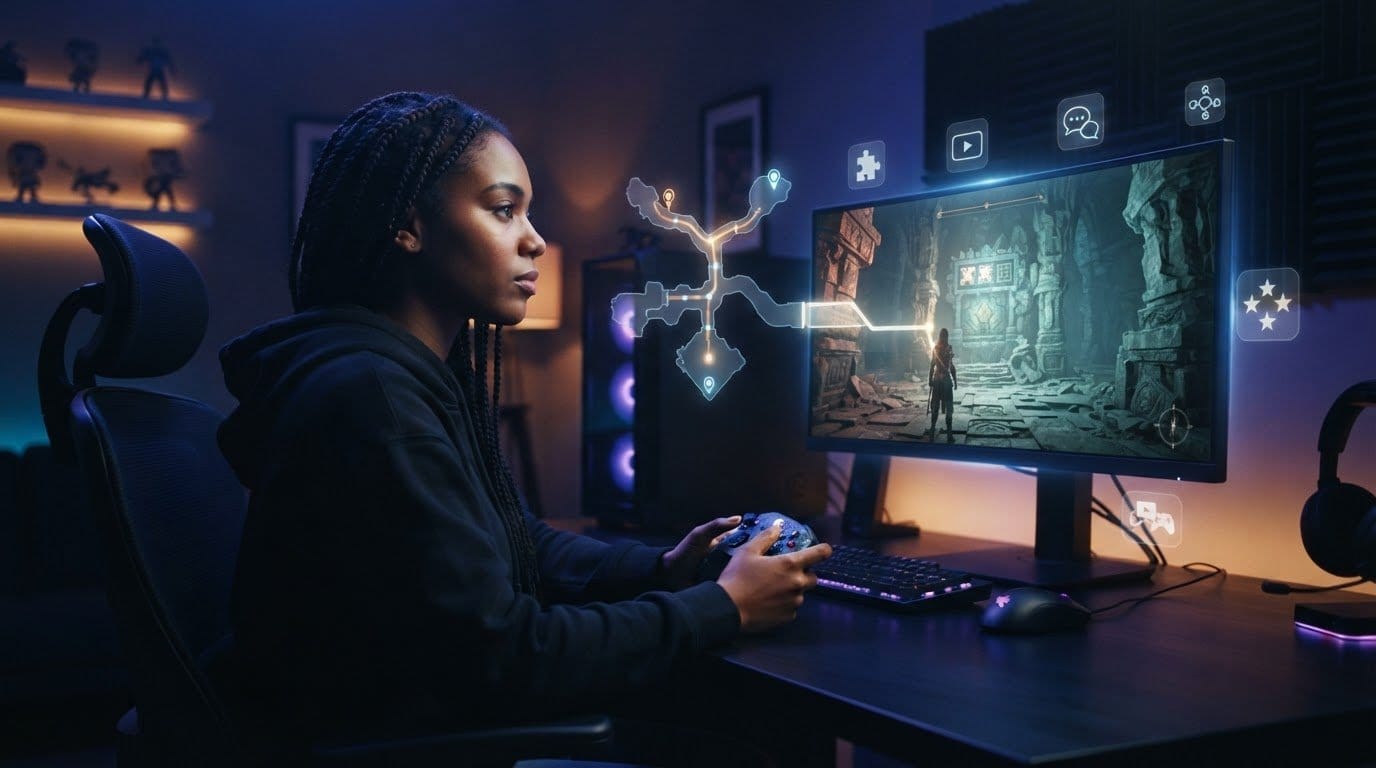
You don’t need to hand over the whole adventure to get unstuck. The right guide gives you a clear next step, then lets you get back to exploring, experimenting, and enjoying the story on your terms. This article compares guide formats, explains how to choose one for your challenge, and shows how to find advice that fits your game and progress.
We’ll look at walkthroughs, quick tips, video help, and community-driven resources, along with practical ways to avoid unwanted spoilers. NoLimitsPlay publishes free gaming coverage, including guides and tutorials across PS5, PS4, Xbox Series, and Switch, alongside reviews and news. Start with the problem in front of you, not the biggest catalog, and find help that keeps the fun in your hands.
Key Takeaways
- Match the guide format to your task: use a walkthrough for step-by-step progress, an FAQ for a specific question, a map for navigation, or a build guide for character setup.
- Choose video game guides by naming your goal, deciding how much detail you need, picking a format, and checking that the advice fits your game and progress.
- Search with the game title plus the exact objective or question to find advice that’s relevant to your situation.
- To avoid spoilers, scan headings first and stop reading as soon as you find the answer you need.
- Explore NoLimitsPlay’s free gaming coverage for guides, reviews, news, competitive gaming, hardware, and upcoming releases.
Video game guides: what they do and when players need them
You’ve tried the same route three times, but the locked door still won’t open. Or the objective marker points somewhere vague, and the game offers no clear clue. A focused guide can help you find the next step without taking over the adventure. Look for help that addresses the exact problem, then use only as much as you need.
A video game guide is information that helps you understand a game or make progress in it. It might explain a mechanic, point out a hidden item, or lay out the steps for a full playthrough. Using one is optional. Treat it as a tool to pick up when you’re stuck, then set aside when you’re ready to explore on your own. For background on the format, see What is a video game strategy guide?
What counts as a video game guide?
A walkthrough leads you through a sequence of objectives, often in order. A focused answer tackles one question, while a reference page organizes details such as controls, items, characters, or locations. A strategy explanation explores how to approach a challenge, such as managing resources or countering an enemy’s attack pattern.
A guide can cover a single puzzle or an entire game. That’s what distinguishes it from a review or news article: a guide answers a practical gameplay question or helps you act, while a review assesses a game and a news article reports on developments. Choose the scope that fits your immediate need, not the longest resource available.
When can a guide make a difference?
Guides are useful when the game’s feedback doesn’t make the next step clear. Maybe a quest objective says to investigate an area, but you can’t tell which clue matters. Perhaps a crafting system has several menus, or a timed encounter keeps ending before you can work out its pattern. Targeted advice can clarify the mechanic or point you toward the relevant clue, so you spend less time repeating the same attempt.
A guide can also help you decide whether to revisit something you missed. If you spot a sealed path or hear about an optional activity, a quick reference can explain how to reach it without requiring a full plot walkthrough. Keep the help limited to your question:
- Search for the exact objective, puzzle, or mechanic that’s causing trouble.
- Read the relevant answer or section rather than starting at the beginning of a full walkthrough.
- Return to the game once you have enough information to try the next step yourself.
This approach keeps discovery in your hands. Use a hint to get moving, test the solution in play, and decide whether you want more help after that. A guide should make your next move clearer, not make every move for you.
Video game guide formats: walkthroughs, FAQs, maps, and more
Not every challenge calls for the same kind of help. A full walkthrough can be useful for a long mission chain, but it’s a lot to sift through if you only need to understand one skill or find a side area. Choose a format that gives you the information you need without adding unnecessary steps or spoilers.
Use this comparison to narrow your search. Each format serves a different purpose, so start with the task you want to complete.
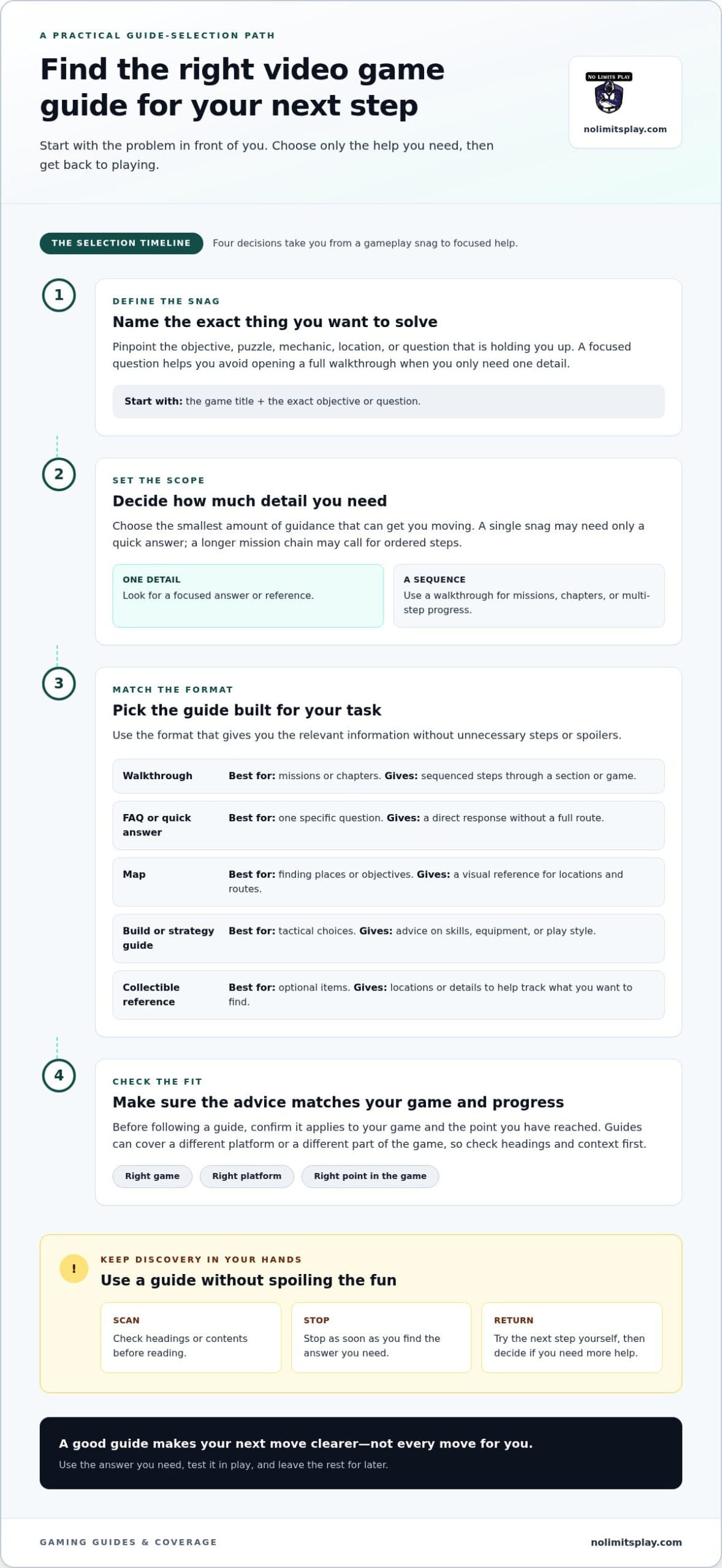
| Format | Best for | What it gives you |
|---|---|---|
| Walkthrough | Following missions or chapters | Sequenced steps through a section or game |
| FAQ or quick answer | Solving one specific question | A direct response without a full route |
| Map | Finding places or objectives | A visual reference for locations and routes |
| Build or strategy guide | Making tactical choices | Advice on skills, equipment, or play style |
| Collectible reference | Tracking optional items | Locations or details for items you want to find |
Walkthroughs, FAQs, and quick answers
A walkthrough lays out progression in sequence, guiding you through missions, chapters, or a larger stretch of a game. It suits players who want a clear route or have lost their place in a multi-step quest. An FAQ gathers answers to common questions, such as how a feature works or where to unlock an ability. For one small snag, a short answer can get you moving faster than a complete walkthrough.
Before diving in, check the page headings or contents. If the answer appears in a short section, there’s no need to read every step that follows.
Maps, builds, and collectible references
Maps help you orient yourself and locate places, objectives, or collectibles. They’re handy when an area is easy to miss or you want to plan a route across a large space. Collectible references focus on optional items, often listing locations or clues to help you track what you’re missing.
Build and strategy guides tackle decisions rather than directions. They can explain how skill choices, equipment, or tactics support a particular play style. Use reference material when you need one detail, not a start-to-finish route.
Keep your search specific: combine the game title with the format or question you need, such as “map,” “build,” or “chapter walkthrough.” Then look for the section that matches your goal. For more practical gaming guidance alongside reviews and news, explore NoLimitsPlay gaming coverage.
How to choose the right video game guide for your situation
Start with the snag, not the search results. A clear question helps you find relevant advice faster and reduces the chance of opening a full walkthrough when you need one detail. Use this four-step process to narrow down video game guides and choose a useful next move.
- Name your goal. Decide what you’re trying to do: reach the next area, understand a mechanic, improve a strategy, or find something optional. “Help with the game” is broad. “How do I open the west gate in the current quest?” gives your search a clear target.
- Identify the detail you need. Decide whether you need directions, an explanation, a tactical suggestion, or a location. A progression problem may call for steps through a mission. A question about controls or a skill may need only a short explanation.
- Choose a format. Match the size of the resource to the size of the problem. Look for a quick answer or FAQ for one question, a walkthrough for a sequence, or a map or strategy reference for a specific detail.
- Check relevance. Confirm the guide matches the game and, where provided, your platform, game mode, and version. If the game has changed over time, look for update dates or version notes before following instructions.
Quick rule: Name the goal, choose the smallest useful format, then check that its advice fits your game and current situation.
Start with the exact problem you want to solve
Turn a vague search into a question tied to what’s happening on screen. Separate “Where do I go next?” from “How does this ability work?” and “What’s a good tactic for this encounter?” Each question calls for a different answer. Add the game title and the exact mission, item, mechanic, or objective to your search. Start with the smallest useful answer, then broaden the search only if it doesn’t resolve the problem.
Check that the guidance fits your game
Before using the advice, compare the guide’s game and platform details with yours. Check for a named game mode or version when relevant, especially if an update may have changed an ability, map, or objective. If the instructions conflict with what you see, recheck the quest name, your current objective, and the guide’s context. A mismatch can explain why a seemingly clear solution doesn’t work.
Don’t assume the first result is automatically the right one. A guide that names the same objective and reflects your game context is more useful than a broad page that only sounds related. Once you find a matching answer, use it to get unstuck, then return to the game and decide whether to keep exploring solo or look for another specific hint.
How to use video game guides without spoiling the fun
A guide can answer one question without revealing what comes next. Set a limit before you open it: identify the immediate obstacle, look only for information that addresses it, then return to the game. This keeps you in control of the pace and the discoveries that make a playthrough yours.
Targeted guide use can clear a roadblock while leaving the choices and discoveries to you. That’s useful when you want help with a mechanic or route but would rather experience story developments on your own. A useful hint doesn’t need to explain the next chapter.
Get a hint before reading a full solution
Search for the obstacle you’re facing, not a complete walkthrough of everything that follows. A phrase tied to your current task is more likely to find a focused hint than a broad search for the whole game. When you open a page, scan its headings, contents, or short summaries before reading the main text. Skip anything that sounds like it covers later progression.
Use this quick routine:
- Decide what you want to know, such as how a mechanic works or which clue to investigate.
- Look for the heading that matches your current question, and avoid sections about later objectives.
- Read only until you have a useful hint, then pause the guide.
- Try the suggestion in the game before returning for more detail.
That pause gives you a chance to solve the challenge yourself with a nudge, rather than following every instruction automatically. If the hint doesn’t help, return for one more piece of information. You don’t have to jump straight to a complete solution.
Keep exploration and strategy in your hands
Decide what kind of run you want before seeking extra details. Maybe you’re focused on the main path and don’t care about optional activities. Maybe you enjoy finding hidden content but want help comparing character choices. Your priorities can guide what you search for and what you skip.
Story-critical details deserve more caution than optional gameplay information. A guide section may reveal consequences or later events even if its title seems relevant to your question. If you’re trying to stay surprised, avoid broad plot summaries and stop reading when a heading moves beyond your current point. You can also search for a mechanic or task without including story-focused terms.
A guide is a tool, not a required route. Take what helps, leave the rest, and change your approach whenever the advice starts directing more of your playthrough than you want. For spoiler-conscious help alongside other gaming coverage, explore NoLimitsPlay’s free gaming guides and tutorials.
Explore video game guides and gaming coverage on NoLimitsPlay
Finding help for one in-game challenge can lead to more questions: what should you play next, how does one game compare with another, or what’s happening in competitive gaming? NoLimitsPlay brings free gaming editorial content together, so you can move from practical guidance to related coverage as your interests shift. Start with the topic you need, then branch out when you’re ready.
Begin with the goal that brought you here. NoLimitsPlay’s guides and tutorials offer practical gaming guidance. If you’re deciding what to play, reviews help you assess a game, while news covers developments and upcoming releases. Competitive gaming coverage, hardware and technology articles, and platform sections offer more ways to explore the wider hobby.
Choose a next step based on what you want to play
Let your current question guide your next stop. A gameplay obstacle points toward guides and tutorials. Comparing games? Browse reviews and news for a broader view. If your interest is tied to a platform, explore coverage for PS5, PS4, Xbox Series, or Switch. Start with your goal, then follow the coverage that fits.
These topics serve different interests. A guide can help with an immediate playthrough question, while a review or hardware article can support another decision. Explore competitive gaming or upcoming releases when you want to look beyond the game currently on screen.
Keep building your gaming knowledge
Some players want a quick answer; others want to build confidence across different games and systems. For foundational advice, look for beginner gaming tips. For wider console-focused guidance, explore console gaming tips. These topics can complement a game-specific guide by helping you develop habits and understand play across different experiences. Focus on what you want to learn next rather than trying to absorb every topic at once.
Use the same player-first approach across the site: pick a question, choose the most relevant coverage, and explore further only if it adds value to your play. NoLimitsPlay’s guides, reviews, news, competitive gaming, hardware, and upcoming releases give you different ways to stay connected to gaming, with PS5, PS4, Xbox Series, and Switch coverage to help narrow your browsing.
Ready for your next move? Browse NoLimitsPlay’s free gaming coverage and find a guide or story that fits what you want to play next.
Make Your Next Play Your Own
Your next session doesn’t have to follow a perfect route. Maybe you want to push through a tough section today, then wander off the main path tomorrow. Let your mood set the pace. The best help fits the moment and leaves room for the surprises, experiments, and small wins that make a game memorable.
Think of video game guides as options you can return to, not instructions you need to follow from start to finish. As your goals shift, so can the support you look for. A quick pointer might be enough now; later, you may want a deeper strategy or a different game. Keep choosing what makes play more rewarding for you.
Ready to find your next useful read? Explore video game guides on NoLimitsPlay and keep the next adventure moving on your terms.
Frequently Asked Questions
Are video game guides useful for casual players?
Yes. Video game guides can help with one confusing objective, an unfamiliar mechanic, or a question that interrupts a relaxed session. You don’t need to follow a complete walkthrough or optimize every choice. Search for the specific help you want, such as how to use a particular ability, and read only the relevant part. Once you have enough information to continue, close the guide and get back to playing your way.
Can video game guides help with side quests?
Yes, a guide can clarify a side quest with unclear objectives, several steps, or optional outcomes. Search the quest name alongside the exact point where you’re stuck, such as a missing clue or an unexplained task. If you want to keep exploring, start with a hint or objective explanation rather than a complete solution. Side-quest help is optional, so choose the amount of detail that suits your play style.
What is the difference between a video game guide and an official manual?
An official manual usually covers basic controls, game systems, or product information supplied with a game. A video game guide tends to focus on a particular task, strategy, route, or player question. They serve different needs. If you’re learning how to move, access menus, or use basic controls, start with the manual. If one challenge remains confusing after that, seek guidance focused on that specific issue.
What should I do if a video game guide does not match my screen?
Pause before following another instruction. Check whether the guide matches your game, platform, mode, and relevant version details, then compare its objective or location with what’s on your screen. A small difference in quest stage can change the steps. If the mismatch persists, search the exact wording of your on-screen objective or find another guide. One conflicting instruction doesn’t mean your progress is wrong.
Can video game guides help players understand game settings?
Some gaming guides explain settings and their effects, but the available coverage varies by game and guide. First decide what you want to adjust, such as visual clarity or more comfortable controls. Then look for instructions that name your game and platform. Change one setting at a time and test it in play. This makes it easier to tell which adjustment helped, rather than changing several options at once.
How do I keep a video game guide from revealing story spoilers?
Search for the exact mission, mechanic, or obstacle rather than opening a full story walkthrough. Before reading, scan headings and brief summaries for references to later chapters or plot details. Stop as soon as you find what you need, and avoid scrolling into sections beyond your current progress. This keeps the guide focused on your immediate question while letting you decide how much of the story to discover for yourself.