

Maximize Xbox Series X Gaming Experience with Low Latency
for Xbox Series X users : Every millisecond counts when you’re immersed in fast-paced online battles or high-stakes multiplayer matches. Lag spikes can turn a winning play into a frustrating defeat, whether you’re dodging mechanics in an MMO or lining up the perfect headshot. Your connection quality hinges on two critical factors: physical distance to game servers and the efficiency of network routing paths.
Signals travel at light speed, but even that isn’t instant over long distances. If servers are geographically far, delays add up. Routing issues—like congested networks or poorly configured ISP pathways—create digital detours that slow your data. These invisible obstacles often explain why your ”perfect connection” still feels sluggish.
Modern consoles pack cutting-edge hardware designed to push performance boundaries. Yet without proper network tuning, that power remains untapped. This guide focuses on actionable strategies to eliminate bottlenecks, pairing technical insights with practical fixes. You’ll learn to balance hardware capabilities with smarter connectivity choices for smoother gameplay.
Key Takeaways
- Lag impacts competitive outcomes in genres like FPS and MMOs
- Distance and network routing directly influence ping times
- Minor latency reductions provide measurable advantages
- Console hardware requires complementary network adjustments
- Proven methods used by professionals apply to casual play
Understanding Latency and Its Impact on Xbox Gaming
Latency quietly shapes your gaming outcomes, often without you realizing it. Measured in milliseconds, it represents the time data takes to travel between your console and game servers. Lower numbers mean quicker responses—critical when milliseconds determine match results.
What is Latency and Why It Matters
Ping rates act as your connection’s report card. At 25-40ms, actions feel instantaneous—pro players demand this edge. Between 40-60ms, most games run smoothly with minimal drawbacks. Beyond 60ms, disadvantages emerge:
| Ping Range | Gameplay Experience | Competitive Viability |
|---|---|---|
| 25-40ms | Instant response | Professional standard |
| 60-80ms | Visible delay | Disadvantage in reactions |
| 100ms+ | Sluggish controls | Unplayable for shooters |
How High Ping Affects Your Performance
At 80ms, enemies see you first in firefights. Beyond 100ms, hit registration fails—bullets seem to vanish. You might notice:
- Characters rubber-banding during movement
- Opponents teleporting short distances
- Delayed sound effects after actions
While turn-based games tolerate 200ms delays, action titles become frustrating. Monitoring your connection helps avoid these “ghost losses” where lag claims victory before you fire.
How to Optimize Xbox Series X for Low Latency Gaming
Ever wonder why your commands take a split second longer to register during crucial moments? Hidden network obstacles often sabotage responsiveness, even with premium hardware. Identifying these invisible barriers is the first step toward reclaiming control.

Recognizing Common Latency Issues
Network congestion during evening hours creates digital traffic jams. More users streaming videos or downloading files leave less bandwidth for your gameplay data. Peak times between 7-11 PM often worsen this issue.
Physical distance from servers adds unavoidable delays. If you’re in New York playing on a Los Angeles-based server, data travels 2,800 miles each way. This geographical gap creates inherent lag that hardware alone can’t fix.
ISP routing inefficiencies force data through unnecessary detours. Default pathways might send your game packets through three cities instead of one direct route. Tools like traceroute maps help spot these inefficient journeys.
Benefits of Lowering Ping on Your Xbox
Sharper response times let you outmaneuver opponents in racing games or fighting titles. Reduced input lag means button presses translate to on-screen actions almost instantly. You’ll notice:
- Precise character movements during intense battles
- Accurate projectile trajectories in shooters
- Consistent frame rates during multiplayer matches
Stable connections also minimize sudden spikes that disrupt rhythm-based games or speedruns. By addressing these factors systematically, you unlock the full potential of your setup.
Setting Up a Wired Connection and Optimizing Your Network
Reliable connectivity forms the backbone of competitive gaming setups. Physical links outperform wireless alternatives in speed and consistency, giving you direct control over data flow. This approach minimizes variables that disrupt gameplay responsiveness.
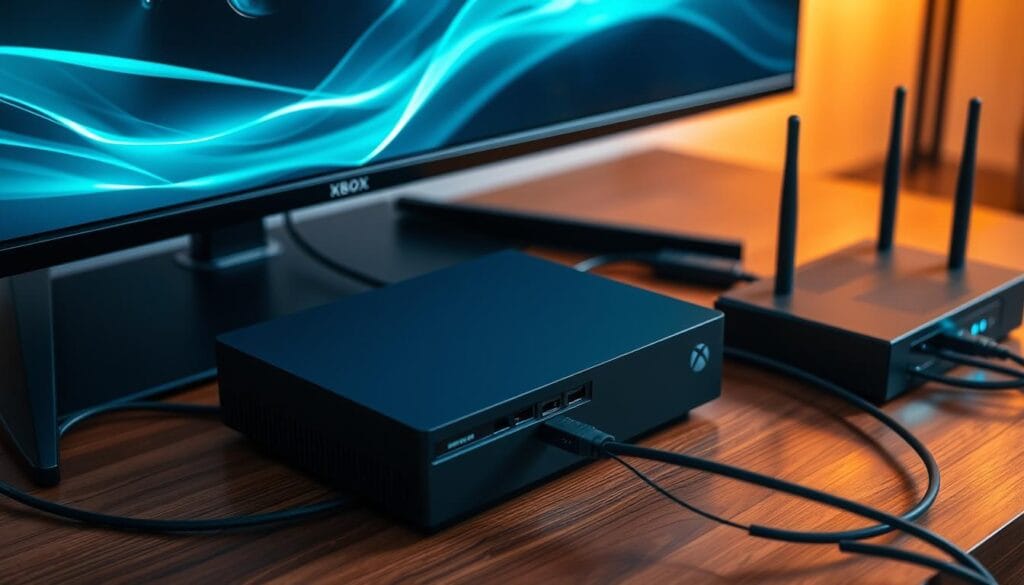
Wired vs. Wireless: Ensuring a Stable Connection
Ethernet cables create dedicated pathways between your console and router. Unlike Wi-Fi signals that degrade through walls, wired links maintain full bandwidth. Consider these key differences:
| Feature | Wired | Wireless |
|---|---|---|
| Speed Consistency | 98%+ | 60-85% |
| Interference Resistance | High | Low |
| Setup Difficulty | Moderate | Easy |
Powerline adapters extend wired benefits when direct cabling isn’t possible. These devices use electrical wiring to transmit data between rooms.
Router and Modem Restart Tips
Network equipment accumulates temporary data that slows performance. Follow these steps monthly:
- Unplug your console for 2 minutes to clear system cache
- Disconnect router/modem power for 30 seconds
- Reconnect devices sequentially: modem first, then router
This process refreshes your internet connection and resolves hidden routing glitches. Combine wired setups with regular maintenance for optimal results.
Leveraging VPN and DNS Settings for Improved Performance
Your gaming setup might be missing a crucial layer of network optimization. While consoles lack native VPN support, specialized hardware unlocks hidden advantages. Strategic configuration of these tools can reshape your connection pathways and security.
Selecting the Best VPN for Xbox Security and Speed
VPN-enabled routers bypass console limitations by encrypting all traffic at the source. Services like Private Internet Access automatically reroute data through efficient pathways. Geographical proximity matters—connect to VPN servers near your game’s host location for minimal ping increases.
| VPN Provider | Key Features | Server Count |
|---|---|---|
| Private Internet Access | Automatic route optimization | 35,000+ |
| NordVPN | Meshnet for custom routing | 5,500+ |
| ExpressVPN | Lightway protocol efficiency | 3,000+ |
Devices like the Shellfire Box simplify setup through plug-and-play VPN integration. This approach masks your IP address, preventing DDoS attacks during competitive matches. Encrypted traffic also stops ISPs from throttling gaming data during peak hours.
Optimizing Your DNS Server Configuration
Faster domain resolution sharpens connection speeds. Replace default ISP DNS settings with these alternatives:
- Cloudflare (1.1.1.1) – Prioritizes speed
- Google (8.8.8.8) – Extensive reliability
- IBM Quad9 (9.9.9.9) – Security-focused
Testing different DNS providers can reduce latency by 10-15ms in some regions. Combine this with VPN routing to create multiple backup pathways. These adjustments work silently in the background, ensuring your focus stays on gameplay.
Tips for Fine-Tuning In-Game Settings and Game Server Selection
Precision adjustments in your setup can mean the difference between victory and defeat. Subtle tweaks to visual configurations and server preferences often yield noticeable improvements in responsiveness.
Adjusting Video and Response Preferences
Activate Auto Low Latency Mode (ALLM) through your console’s display options. Navigate to Profile & system > Settings > General > TV & display options > Video Modes. This feature automatically syncs with compatible screens to minimize input lag during intense matches.
Smart Server Selection Tactics
Most games default to the nearest server, but location detection isn’t perfect. Test multiple regions to find hidden advantages:
- European servers sometimes route better for East Coast players
- Asian nodes may offer cleaner pathways during off-peak hours
- Central US locations often balance ping for cross-country play
Maintaining System Efficiency
Clear cached data monthly using two methods:
- Power cycle: Unplug your console for two minutes
- Manual reset: Settings > Devices & Connections > Blu-Ray > Persistent Storage
These maintenance steps resolve conflicts that degrade performance over time. Combine them with server testing to maintain peak connection quality across all your games.
Conclusion
Transform your competitive edge through strategic network enhancements. By combining wired setups, VPN routing, and smart server choices, you create multiple pathways to achieve optimal ping performance. Start with basic fixes like Ethernet connections and DNS adjustments, then layer advanced solutions for sustained results.
Regular maintenance keeps your system sharp. Monthly router reboots and cache clearing prevent gradual performance decay. These habits ensure your console maintains peak responsiveness across all game updates and network changes.
Your upgraded setup delivers tangible benefits: precise hit registration in shooters, seamless movement in racing titles, and consistent frame rates during marathon sessions. Geographical server selection further refines responsiveness, letting you exploit regional routing advantages.
With these tools, you’re prepared to diagnose and resolve future connection issues independently. The right blend of technical adjustments transforms frustrating delays into fluid gameplay experiences, fully unlocking your hardware’s capabilities.